Interpret
Takes a raw pixel diff and tells you what changed, where, and how much. No ML models — a deterministic pipeline that runs in the same binary as the diff itself.
How it works
- Pixel diff → binary change mask
- Morphological close → bridge small gaps
- Connected components → isolate regions
- Per-region evidence extraction:
- Dual-image gradients — edges in both images + spatial correlation to detect structural preservation
- Color delta distribution — mean, max, and stddev of YIQ distance to separate uniform recolors from patchy texture changes
- Background distance — how much changed pixels blend with local unchanged pixels in each image
- Six-label decision tree classifies each region
- Post-hoc shift detection matches Addition+Deletion pairs
Demo
Different Images
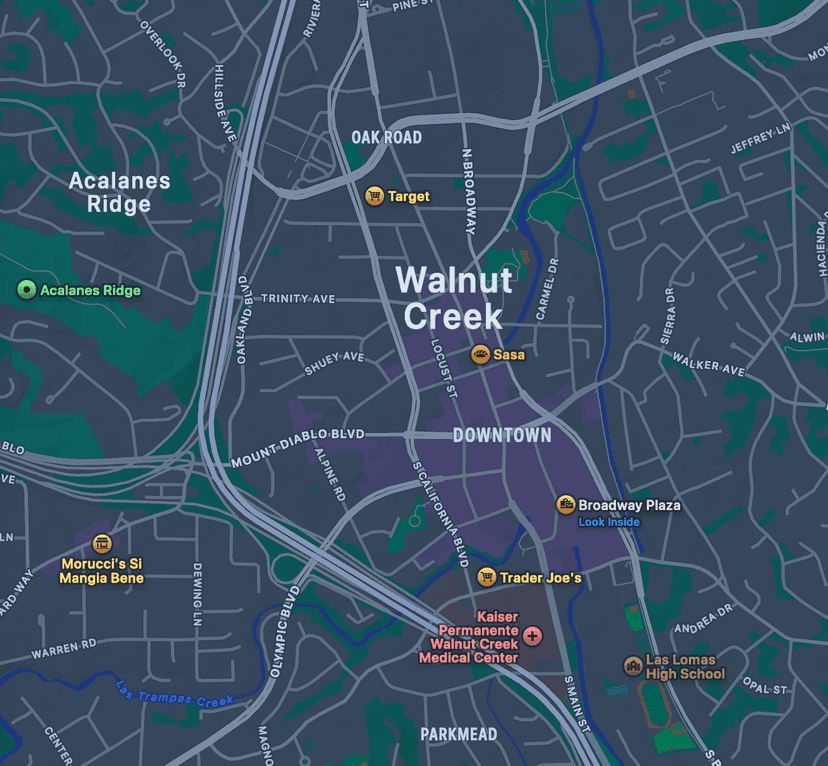
Image 1
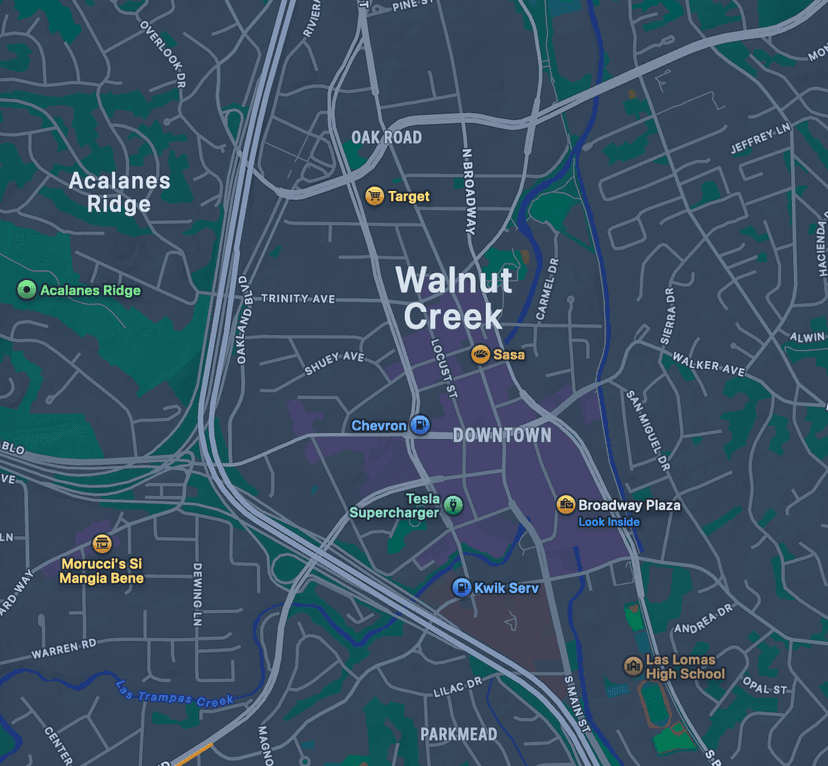
Image 2
Moderate visual change detected (1.87% of image, 10 regions). Content changed: 4 regions (bottom, center). Content added: 3 regions (right, bottom, bottom-left). Content removed: 3 regions (bottom, top-left, center).
medium1.87% changed
Regions (10)Hover a region to highlight
bottom·deletion·mixed-region·(670, 977, 199×89) · 0.58%
bottom·content-change·sparse-distributed·(558, 738, 193×173) · 0.34%
bottom·content-change·mixed-region·(726, 910, 208×51) · 0.30%
center·content-change·sparse-distributed·(368, 663, 323×88) · 0.27%
bottom·content-change·sparse-distributed·(432, 937, 50×151) · 0.11%
right·addition·sparse-distributed·(1004, 626, 71×130) · 0.08%
top-left·deletion·edge-dominated·(343, 102, 39×126) · 0.07%
center·deletion·sparse-distributed·(505, 717, 49×88) · 0.05%
bottom·addition·sparse-distributed·(694, 1085, 80×33) · 0.04%
bottom-left·addition·edge-dominated·(253, 1191, 89×37) · 0.03%
import { interpret } from "@blazediff/core-native";

const result = await interpret("fixtures/3a.png", "fixtures/3b.png");

for (const region of result.regions) {
  console.log(`${region.position}: ${region.changeType} (${region.percentage.toFixed(2)}%)`);
}Change types
| Type | Meaning |
|---|---|
Addition | Content appeared — blends with background in before image, distinct in after |
Deletion | Content removed — distinct in before, blends with background in after |
Shift | Content moved — matched Addition+Deletion pair with similar luminance |
ColorChange | Recolor — edge structure preserved across both images, uniform color shift |
ContentChange | Structural change — edges differ between images |
RenderingNoise | Sub-pixel artifacts — filtered from output |
Last updated on