Structural Image Comparison
Pixel diffing answers “how many pixels changed”. Structural metrics answer “how different does this look”. They score a neighborhood rather than a pixel, so compression artifacts and sub-pixel rendering noise barely move them while a real change does.
Reach for one when exact matching is too strict: screenshots that get re-encoded somewhere in the pipeline, or the same page rendered by two different machines. Keep a pixel diff in the pipeline too, because both metrics work on luminance and are close to blind to color-only changes.
BlazeDiff ships two: GMSD, which compares edges and is the cheaper of the two, and SSIM, the classic structural index, with a faster Hitchhiker’s variant.
New to these? Read what SSIM measures, how GMSD works, or which one to pick.
Installation
npm install @blazediff/gmsd @blazediff/ssimGMSD (Gradient Magnitude Similarity Deviation)
Scores gradient (edge) similarity. Returns 0 for identical images. Lower is
better, typically in the 0 to 0.35 range.
Basic Comparison
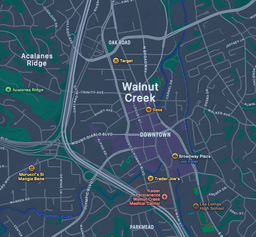
Image 1
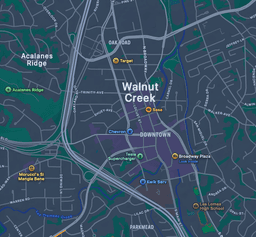
Image 2
Result
import gmsd from "@blazediff/gmsd";

const img1 = await loadImage(
  "https://raw.githubusercontent.com/teimurjan/blazediff/refs/heads/main/fixtures/blazediff/3a.png"
);
const img2 = await loadImage(
  "https://raw.githubusercontent.com/teimurjan/blazediff/refs/heads/main/fixtures/blazediff/3b.png"
);
const width = img1.width;
const height = img1.height;
const score = gmsd(img1, img2, undefined, width, height);Pass an output buffer as the third argument to get the similarity map back as a grayscale image, which shows which edges disagreed. GMSD reference.
SSIM (Structural Similarity Index)
Scores luminance, contrast and structure. Returns 1 for identical images.
Higher is better, in the 0 to 1 range. The Hitchhiker’s variant swaps the
Gaussian window for non-overlapping rectangular windows over integral images,
which runs 2x to 5x faster depending on the image at near-identical accuracy.
Original SSIM
Image 1
Image 2
SSIM Map
import ssim from "@blazediff/ssim/ssim";

const img1 = await loadImage(
  "https://raw.githubusercontent.com/teimurjan/blazediff/refs/heads/main/fixtures/blazediff/3a.png"
);
const img2 = await loadImage(
  "https://raw.githubusercontent.com/teimurjan/blazediff/refs/heads/main/fixtures/blazediff/3b.png"
);
const output = new Uint8Array(img1.width * img1.height * 4);
const width = img1.width;
const height = img1.height;

const score = ssim(img1, img2, output, width, height);The output buffer here receives the SSIM map: dark areas are where the two images
disagree. @blazediff/ssim also ships MS-SSIM, which scores at five scales for
images that get viewed at more than one size.
SSIM reference.
Picking a threshold
Do not copy a number from a table. Run your own baselines twice with no code
change, see what score the noise alone produces, then set the gate above it. As
starting points: 0.05 for GMSD when you control the render, 0.15 when
screenshots pass through lossy compression, and 0.98 for SSIM on full-page
shots.
Next
- Choosing a metric if you are still deciding
- What SSIM measures and how GMSD works for the formulas
- Pixel-by-pixel comparison when you want the exact count instead